Navigating iPhone's Sound Recognition Feature: A Guide for Android Switchers
Understanding iPhone's Sound Recognition
Switching from Android to iPhone often involves discovering new features and adapting to different ways of interacting with your device. One such feature is Sound Recognition, an accessibility tool that listens for specific sounds and alerts you with a notification. This can be particularly useful for individuals with hearing impairments, but it also offers convenience for anyone wanting to be aware of their surroundings without constantly monitoring their phone.
Editor's pick: Android-to-iPhone migration accessories on Amazon → As an Amazon Associate, this site earns from qualifying purchases.
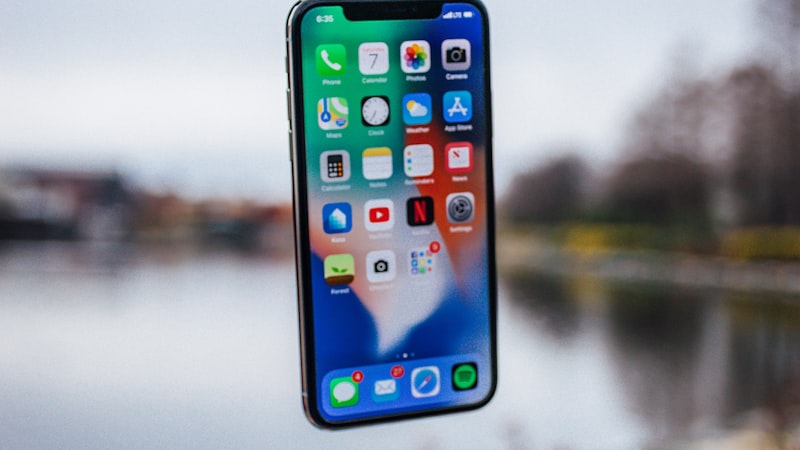
Unlike some Android implementations that rely on broader audio analysis for features like 'Now Playing', iPhone's Sound Recognition focuses on predefined, discrete sounds. This targeted approach makes it reliable and resource-efficient.
Setting Up Sound Recognition
To enable Sound Recognition on your iPhone, follow these steps:
- Open the Settings app.
- Scroll down and tap on Accessibility.
- Under the Hearing section, select Sound Recognition.
- Toggle the Sound Recognition switch to on.
- Tap on Sounds to choose which sounds you want your iPhone to recognize.
The list of available sounds includes options like:
- Smoke Alarm
- Fire Alarm
- Siren
- Cat
- Dog
- Doorbell
- Door Knock
- Water Running
- Baby Crying
- Appliances (specific sounds may vary depending on iOS version)
Once you've selected the sounds, your iPhone will begin listening in the background. When a recognized sound is detected, you'll receive a notification similar to any other app notification.
Customizing Sound Recognition for Your Needs
While the built-in list of sounds is comprehensive, it's important to configure the feature to match your specific environment. For example, if you have pets, you might choose to enable 'Dog' or 'Cat' sounds. If you live in an apartment building, 'Doorbell' or 'Door Knock' might be relevant.
Pay attention to false positives. If your iPhone frequently misinterprets sounds, consider disabling the problematic sound or adjusting the environment to reduce the likelihood of triggering the recognition. For instance, if a noisy appliance triggers a 'Water Running' alert, try moving the iPhone further away from the appliance or adjusting the sensitivity (if available, though Apple typically manages sensitivity internally).
Integrating Sound Recognition into Your Daily Life
Sound Recognition can be a valuable addition to your daily routine, particularly in situations where you might not be able to actively monitor your surroundings. Here are a few examples:
- While wearing headphones: If you're listening to music or a podcast, Sound Recognition can alert you to important sounds like a doorbell or fire alarm.
- When sleeping: Place your iPhone near your bed to be alerted to sounds like a baby crying or a smoke alarm.
- In a noisy environment: Even if you're in a crowded or loud area, Sound Recognition can help you stay aware of critical sounds that might otherwise be missed.
Sound Recognition and Privacy
It's natural to be concerned about privacy when using a feature that constantly listens to your surroundings. Apple states that Sound Recognition data is processed on-device, meaning the audio isn't sent to Apple's servers. This local processing helps protect your privacy.
Troubleshooting Sound Recognition
If you're experiencing issues with Sound Recognition, here are a few troubleshooting tips:
- Ensure the feature is enabled: Double-check that Sound Recognition is turned on in the Accessibility settings.
- Verify sound selections: Make sure you've selected the specific sounds you want your iPhone to recognize.
- Check microphone access: Confirm that the microphone is working correctly and that no other apps are interfering with its access.
- Update iOS: Ensure you're running the latest version of iOS, as updates often include bug fixes and performance improvements.
- Restart your iPhone: A simple restart can sometimes resolve unexpected software issues.
Conclusion
Sound Recognition is a powerful and accessible feature that can enhance your iPhone experience. By understanding how to set it up, customize it, and integrate it into your daily life, you can leverage its capabilities to stay informed and aware of your surroundings. As with any new feature, experimentation and fine-tuning are key to maximizing its benefits. Remember to adjust the settings and usage patterns to suit your individual needs and preferences as you continue your journey adapting from Android to the iOS ecosystem.