Navigating Fixed Storage: What Android Switchers Need to Know About iPhone's Storage Philosophy
Transitioning from MicroSD to iPhone's Integrated Storage
For many Android users, the ability to expand storage with a microSD card has been a long-standing convenience, offering flexibility for photos, videos, and large app data. Switching to an iPhone introduces a fundamental shift in this approach: iPhones come with fixed internal storage that cannot be externally expanded via cards. This guide will help Android switchers understand Apple's storage philosophy and equip them with effective strategies for managing their data on an iPhone.
Editor's pick: Android-to-iPhone migration accessories on Amazon → As an Amazon Associate, this site earns from qualifying purchases.
The Core Difference: Integrated vs. Expandable
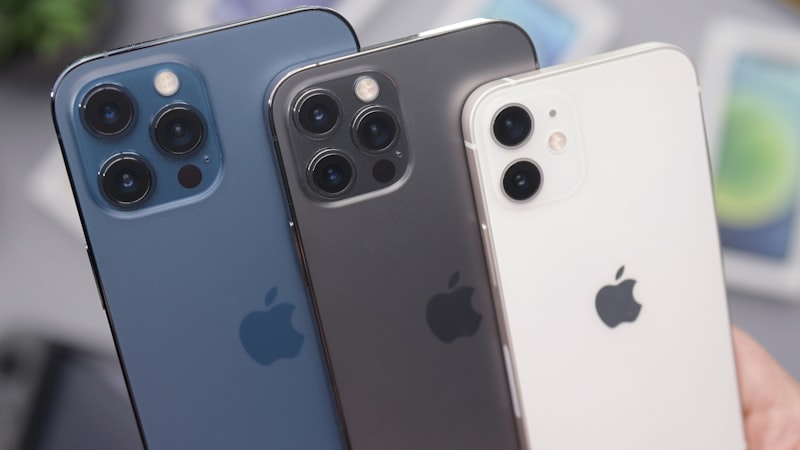
Android devices frequently offer a microSD card slot, allowing users to purchase a lower-capacity phone and augment its storage later. This provides a cost-effective way to store vast amounts of media or app data, and even transfer data between devices easily. Apple, however, integrates its storage directly into the device's main logic board. This design choice is driven by several factors, including enhancing performance, improving security, and allowing for a more compact and water-resistant device design. The result is a seamless, high-speed storage solution that is integral to the iPhone's ecosystem, but it means your storage capacity is set the moment you buy the device.
Making the Right Choice: Initial Storage Capacity
Given that iPhone storage is fixed, the most crucial decision for an Android switcher is selecting the appropriate storage tier at the time of purchase. While it might be tempting to opt for the base model, consider your usage habits:
- Do you take many photos and videos, especially in high resolution (4K video, ProRAW photos)?
- Do you download many movies, TV shows, or music for offline consumption?
- Are you a heavy gamer with multiple large game installations?
- Do you rely heavily on local document storage?
If you answered yes to any of these, investing in a higher storage capacity (e.g., 256GB, 512GB, or 1TB) upfront will likely save you headaches and potential costs down the line. It's a one-time decision that impacts your entire iPhone experience.
iCloud: Your iPhone's Cloud Expansion Pack
Apple's primary answer to fixed internal storage is iCloud. Far more than just a backup service, iCloud is deeply integrated into the iPhone operating system to manage and optimize your device's storage. Every Apple ID receives 5GB of free iCloud storage, but for most users, upgrading to an iCloud+ plan is essential. Plans start at affordable monthly rates for 50GB, 200GB, or 2TB, offering significant cloud capacity.
Key iCloud Features for Storage Management:
- iCloud Photos: This feature can automatically upload your full-resolution photos and videos to iCloud, keeping optimized, smaller versions on your iPhone. When you need to view or edit, the full-resolution version downloads instantly. This can free up significant local storage, especially for media-heavy users.
- iCloud Drive: Functions similarly to Google Drive or Dropbox, allowing you to store documents, files, and folders in the cloud, accessible across all your Apple devices and even Windows PCs.
- App Data Sync: Many apps can store their data in iCloud, ensuring continuity across devices and reducing local storage footprint.
By leveraging iCloud, you essentially gain a virtual expansion of your iPhone's storage, with the added benefit of automatic backups and cross-device synchronization.
Integrating Other Cloud Services
If you're already deeply embedded in other cloud ecosystems like Google Drive, Dropbox, or OneDrive from your Android days, rest assured that these services integrate seamlessly with iOS. You can download their respective apps from the App Store, and many allow for automatic photo and video backups, offering an alternative or supplementary cloud solution to iCloud.
Smart Strategies for Local Storage Management
Even with robust cloud integration, managing your iPhone's local storage effectively is crucial. iOS provides built-in tools to help:
- Offload Unused Apps: In Settings > General > iPhone Storage, you can enable 'Offload Unused Apps'. This automatically removes app binaries you haven't used recently but keeps their documents and data, ready for re-download when you need them.
- Review App Storage: The iPhone Storage section also provides a detailed breakdown of which apps are consuming the most space. You can tap on an app to see its 'App Size' and 'Documents & Data' and decide if you need to delete and reinstall it to clear cached data, or offload it.
- Clear Safari Cache: Regularly clearing your web browser's cache can free up a small but noticeable amount of space. Go to Settings > Safari > Clear History and Website Data.
Handling Media-Intensive Workflows
For those who frequently capture high-quality media, understanding how iPhone handles large files is key. Apple's modern iPhones use HEIC for photos and HEVC for videos, which are highly efficient compression formats that save space without significant quality loss. As we explored in our analysis of media formats at iPhone Switch, these formats are integral to managing storage efficiently on iOS devices. You can learn more about these formats and their implications for switchers at https://iphoneswitch.com/demystifying-heic-hevc-iphone-formats-android-switchers.
For truly vast media libraries, consider regularly offloading content to a computer or an external hard drive. While iPhones don't directly support microSD cards, you can connect some USB-C flash drives or card readers to newer iPhone models (with USB-C ports) for direct media transfer, though this is often more cumbersome than cloud-based solutions.
A Shift in Mindset, Not a Limitation
The transition from Android's expandable storage to iPhone's fixed model requires a shift in how you think about data management. Instead of physical expansion, Apple emphasizes intelligent optimization and seamless cloud integration. By making an informed decision on initial storage capacity, embracing iCloud, and utilizing iOS's built-in management tools, Android switchers can effectively navigate and thrive within iPhone's integrated storage ecosystem.