Navigating the Shift: What Android Auto Users Need to Know About Apple CarPlay on iPhone
Seamless In-Car Connectivity: Adapting from Android Auto to Apple CarPlay
For many Android users, the convenience of Android Auto has become an indispensable part of their daily commute and road trips. When transitioning to an iPhone, a common question arises: how does Apple CarPlay compare, and what adjustments will be necessary for a smooth in-car experience? While both platforms aim to provide safe and intuitive access to phone features behind the wheel, their approaches and user experiences bear distinct differences that switchers will want to understand.
Editor's pick: Android-to-iPhone migration accessories on Amazon → As an Amazon Associate, this site earns from qualifying purchases.
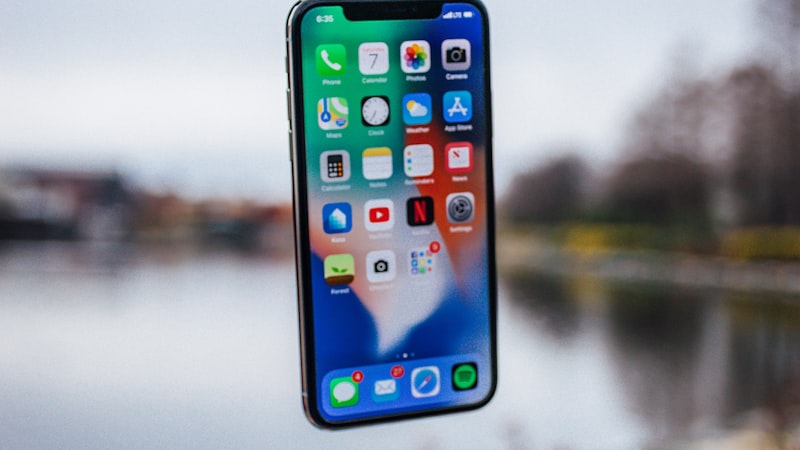
Connecting Your iPhone to CarPlay
The first step is connecting your new iPhone to your vehicle's infotainment system. Most modern cars support both wired and wireless CarPlay. For a wired connection, simply plug your iPhone into the car's USB port using a compatible Lightning or USB-C cable. The CarPlay interface should launch automatically on your car's screen. If your vehicle supports wireless CarPlay, the setup involves a quick Bluetooth pairing process, similar to connecting other wireless devices. Once paired, your iPhone will automatically connect to CarPlay each time you start the car, provided Bluetooth and Wi-Fi are enabled on your phone.
User Interface and Navigation Experience
CarPlay presents a clean, icon-driven interface that mirrors the simplicity of iOS. The default home screen features large, easy-to-tap icons for your essential apps, typically arranged in a grid. Navigation is central to the in-car experience, and CarPlay defaults to Apple Maps. However, popular third-party navigation apps like Google Maps and Waze are fully compatible and can be set as your preferred navigation choice within CarPlay settings. Android Auto often offers more customization in its layout and widget presentation, allowing for glanceable information. CarPlay, by contrast, prioritizes a streamlined, consistent look designed for minimal distraction, focusing on core functionalities and a familiar iOS aesthetic.
App Ecosystem on the Road
The transition between app ecosystems is a significant point for switchers. On CarPlay, you'll find a robust selection of apps optimized for in-car use. Messaging apps like Apple Messages, WhatsApp, and Telegram integrate seamlessly, allowing you to read incoming messages and dictate replies via Siri. Music streaming services such as Apple Music, Spotify, Pandora, and various podcast and audiobook apps are also fully supported, offering familiar interfaces for controlling playback. Your calendar events can be viewed, and voice calls are easily managed through the CarPlay interface. While the specific selection of apps might feel slightly different from what you're accustomed to on Android Auto, most critical in-car functions are well-covered.
Voice Control: Siri vs. Google Assistant
Voice commands are crucial for hands-free operation while driving. On CarPlay, Siri is your intelligent assistant. You can activate Siri by long-pressing the voice command button on your steering wheel or simply by saying
Every Apple decision is a tradeoff, and the obvious one here is internal volume. Adding android auto apple carplay costs millimetres somewhere — usually battery capacity or camera module depth — and Apple has to decide which line item to trim. Expect a premium of roughly $200–300 over the standard model, plus a small weight penalty. Battery life is the bigger variable — early prototypes typically trade an hour or two of screen-on time for the new capability, then claw it back over a generation. Existing owners weigh android auto apple carplay against the upgrade they were already planning. If the feature is meaningful for daily use, it pulls forward upgrades by about a year; if it is novelty, it shifts nothing. Apple historically ships a quiet developer API the year before the hardware lands, so existing apps that follow human-interface guidelines should adapt with modest work. Apps that hard-code layouts will need updates. It comes back to whether Apple can ship android auto apple carplay without compromising the parts of the iPhone people already pay for. The detail in this section is where that case is made or broken.Questions readers ask
What's the biggest tradeoff Apple has to swallow for android auto apple carplay?
What does android auto apple carplay actually cost — in price, weight, or battery?
How does android auto apple carplay change the upgrade calculus for existing owners?
Does android auto apple carplay require new developer APIs, or can existing apps adapt?
In short — what's the takeaway on more from iphone switch?