Mastering iPhone Wallet: Your Comprehensive Guide Beyond Apple Pay for Android Switchers
Making the leap from Android to iPhone involves adapting to several new ecosystem dynamics. While many Android users are familiar with Google Wallet for payments and a myriad of individual apps for loyalty cards, tickets, and digital passes, the iPhone consolidates much of this functionality into a single, highly integrated application: Wallet. For those accustomed to a more fragmented approach on Android, understanding the full scope of iPhone Wallet is key to a seamless and efficient daily experience.
Editor's pick: Android-to-iPhone migration accessories on Amazon → As an Amazon Associate, this site earns from qualifying purchases.
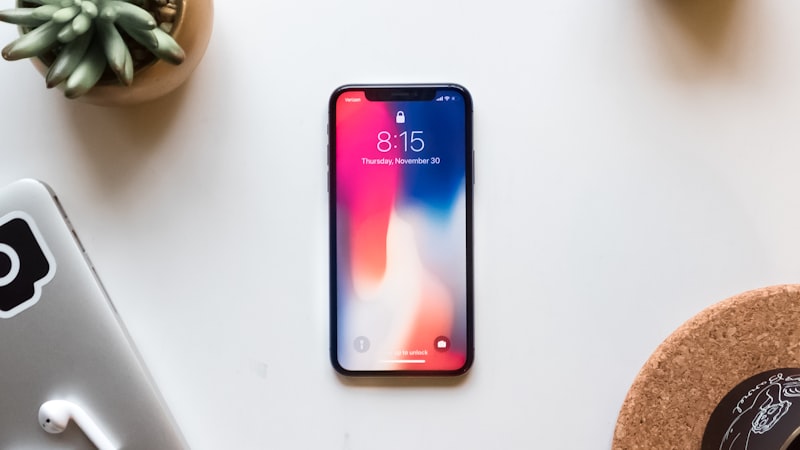
While Apple Pay is the most visible feature of the Wallet app, its capabilities extend far beyond tap-to-pay. iPhone Wallet is designed as a secure, centralized hub for virtually all your digital cards and passes, streamlining access and enhancing convenience. This consolidation can feel like a significant upgrade for Android switchers who previously juggled separate apps for airline boarding passes, coffee shop loyalty programs, and event tickets.
Loyalty and Reward Cards: Streamlining Your Savings
One of the immediate benefits for Android switchers is how easily loyalty and reward cards can be added and managed within Wallet. Instead of downloading a specific app for every store you frequent, many retailers allow you to add their loyalty cards directly to Wallet from their app or even via a link in an email. Once added, these cards are readily accessible. When you’re at the checkout, simply double-click the side button (or Home button on older models) to bring up Wallet, select your loyalty card, and present it for scanning. This eliminates the need to fumble through apps or carry physical cards, a distinct advantage over Android's often app-specific or less integrated approach.
Travel and Event Tickets: Your Pocket Concierge
For frequent travelers or event-goers, iPhone Wallet transforms how you manage boarding passes, movie tickets, concert tickets, and more. When you purchase a ticket online or through an airline/event app, you'll typically see an option to 'Add to Apple Wallet'. Once added, your passes become smart and context-aware. Your boarding pass might automatically appear on your Lock Screen when you arrive at the airport, or your concert ticket will be ready when you're near the venue. This proactive presentation, coupled with easy access via Face ID or Touch ID, significantly reduces stress and enhances the user experience compared to searching for emails or opening specific apps on an Android device.
Digital Keys and IDs: The Future of Access
The Wallet app is also at the forefront of digital key technology. For compatible vehicles, you can add a Car Key to Wallet, allowing you to unlock, lock, and even start your car using your iPhone. This functionality extends to some smart home locks and corporate access badges, providing a unified digital key solution. While digital driver's licenses and state IDs are still rolling out in select U.S. states as of 2026, iPhone Wallet is designed to securely store and present these forms of identification where supported, offering a glimpse into a future where your physical wallet becomes truly optional. Android has similar initiatives, but Apple's tight ecosystem integration often leads to a more cohesive user experience once adopted.
Student IDs and Transit Cards: Everyday Essentials
Beyond payments and travel, Wallet supports digital student IDs at many colleges and universities, allowing students to access dorms, libraries, and pay for meals with their iPhone or Apple Watch. Similarly, transit cards for various cities can be added, enabling seamless tap-and-go travel on public transportation systems. These integrations reflect Apple's commitment to making the iPhone a central device for daily life, often surpassing the widespread integration found on Android platforms for these specific use cases.
Security and Privacy: Apple's Core Philosophy
For Android switchers concerned about the security of so much personal information in one place, Apple's Wallet app is built with robust privacy and security features. All transactions and digital passes are encrypted, and sensitive data like credit card numbers are never stored on Apple's servers or shared with merchants. Face ID or Touch ID authentication is required for payments and often for accessing digital keys, ensuring that only you can use your Wallet content. This layered security, a hallmark of the Apple ecosystem, provides peace of mind that your financial and personal data are well-protected.
Tips for a Smooth Transition
As you transition, start by exploring the 'Add' button within Wallet to see what options are available. Many apps you download will prompt you to add their passes to Wallet. For loyalty cards, check the retailer's app or website for 'Add to Apple Wallet' links. Remember that most digital passes added to Wallet will automatically sync to your Apple Watch if you have one, further extending their convenience. While you might miss some specific Android widgets, the proactive nature of Wallet on the Lock Screen and its integrated notifications often provide a superior, less cluttered experience.
Ultimately, mastering the iPhone Wallet app means embracing a more centralized and secure way to manage your digital life. For Android switchers, it represents a significant step towards leveraging the full integration and convenience that the Apple ecosystem offers, making everyday tasks faster and more secure.